


PocketBook reader - EPUB, PDF
4.22.70K Reviews
App Specs
- Version
- 5.65.0.39561.release
- Updated On
- License
- Free
- Downloads
- 10,000,000+
- Developer
- Pocketbook International SA
- Categories
- Books & Reference
- Platform
- Android, iOS
Screenshots

 Analysis by AppCompare
My first impression of PocketBook Reader is that it’s built for people whose reading life is scattered across different files, devices, and formats. I like the freedom of opening a mix of novels, documents, and comics in one place, but it is not a magic shortcut around every practical hassle: finding files, keeping a library tidy, and deciding when a network connection is useful still take a little thought. As a free reading app from Pocketbook International SA, it’s an appealing option if you want flexibility more than a store tied to one book ecosystem.
Where connectivity matters—and where it doesn’t
Getting books into a reader is often the first real test. PocketBook gives you ways to bring in files from your device, cloud storage, or downloads within the app, so the best route depends on where your collection already lives. A book already saved on your phone is a different starting point from one you need to retrieve from a cloud account. I’d sort that out before a commute or trip rather than assume every title will be ready at the moment I want it.
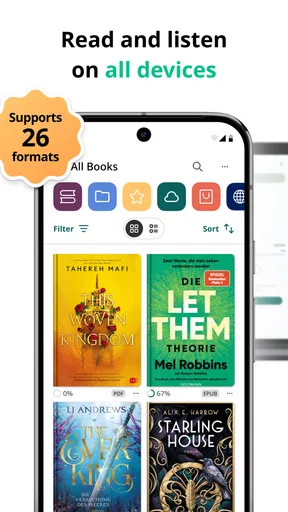
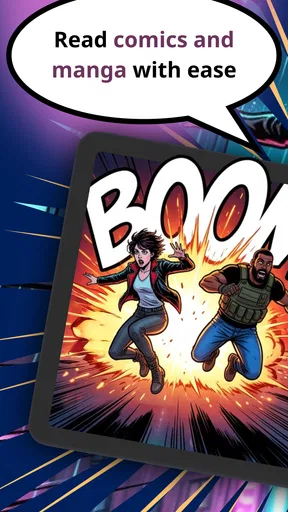
That distinction also helps set expectations. The app supports many formats, including EPUB, PDF, DjVu, FB2, CHM, CBR, MOBI, AZW and audio formats such as MP3 and M4B. That breadth makes it useful for a mixed personal library, but a format being supported does not mean every file will look equally comfortable. A flowing novel and a fixed-page PDF have different reading needs; I’d judge the experience with the type of material I actually use, not just the number of formats on the list.
For a practical routine, I would add or locate a few books while connected, open them once, and check that the files are the intended editions before relying on them later. That small check catches mundane problems—such as choosing the wrong document or discovering a file is awkward to read—when there is time to fix them. Network access is most relevant when obtaining or syncing content; it need not become the focus of every reading session.
A good fit for an untidy, mixed-format library
In the usual reading-app choice, there are two broad approaches: use a retailer’s reader, which can make buying and opening books feel seamless within that shop, or use a flexible file reader that is more accommodating of books gathered elsewhere. PocketBook leans toward the second approach. I’d recommend it to someone who already has files from several sources, reads more than just standard novels, or wants to keep reference documents alongside books.
The trade-off is that flexibility asks you to do more of the organizing yourself. A store-centered app can feel simpler if nearly everything you read comes from one catalog and you want that catalog to manage discovery and purchasing. PocketBook makes more sense when the books are already yours to bring in, but that freedom can mean a less automatic start: you may need to locate files, label them, and decide how collections should work for you.
One useful habit is to treat collections as reading contexts rather than simply reproducing folders. I might separate books I’m actively reading from manuals I consult occasionally, or group material by a project so a reference title is easy to find beside related documents. That can be more useful than sorting everything by author when the library contains PDFs and other non-fiction files as well as novels.
Worth Reading Before You Choose

Flipboard Shows What News Apps Must Do Beyond the Feed

Switching to Android Auto Means Rethinking Your Driving Routine

Google Calendar Makes a Crowded Week Easier to Manage

Ludo King Makes the Most of the Minutes Between Plans

Baby Panda World Brings Quick Play to Modern Phones, but Its Game Library Feels Busy

ESPN’s Live Game View Makes Following Close Games Easier
Small-screen reading and everyday situations
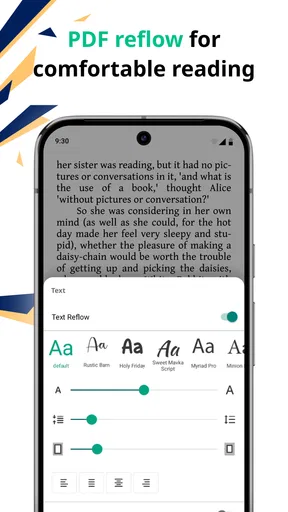
On a phone, convenience is not just about having a book available; it is about making a short reading window feel worthwhile. The adjustable text and background options help tailor a session, while the dictionary can make an unfamiliar word less disruptive to look up. I find those tools especially relevant when reading in brief stretches: a few pages while waiting, then another short spell later, rather than settling in for a long evening with a paper book.
Picture a day with a train ride, a lunch break, and an appointment that starts late. I’d choose the book or document beforehand, make sure it is easy to locate in the library, and adjust the display somewhere comfortable before leaving. If the title is stored in a cloud location, I’d handle the retrieval while connected rather than spend the waiting time troubleshooting. This is a simple workflow, but it turns the app’s broad file support into something useful in real life.
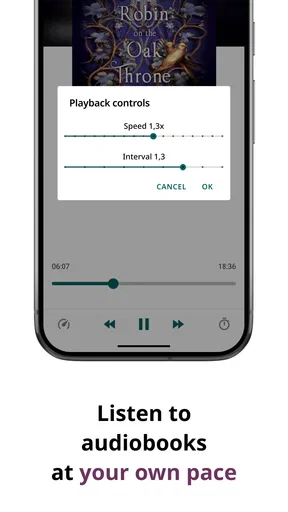
Audio support gives the library another possible role, and the text-to-speech option may suit moments when looking at a screen is inconvenient. I would treat listening as a separate use case rather than assume it will replace a dedicated audiobook experience for everyone. The value here is having reading and listening-related options within a broad reader; the best choice still depends on whether a particular file and listening style work for you.
Recovering from friction and keeping a library manageable
When a title does not appear where I expect, I would check the source before blaming the reader: is the file on the device, in a cloud location, or still waiting to be downloaded? Then I’d look for it through the app’s import or library workflow and open it to confirm it is the correct item. This order is more useful than repeatedly tapping around, especially when several versions of a book have similar names.
Collections, tags, and favorites can prevent that confusion from growing as the library fills up. My advice is to use a small number of clear labels at first. Over-tagging creates another chore, while a few consistent categories—such as “reading now,” “reference,” and “finished”—can make a mixed library easier to scan. Progress tracking is also handy for returning to a long book, though it is most valuable when I keep the library organized enough to find that book again.
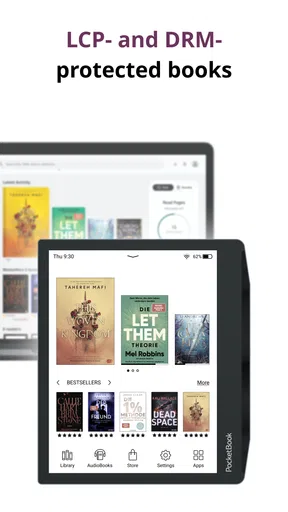
Syncing across devices is appealing if I move between a phone, tablet, or e-reader, because it can help me continue from another screen. I would still check that the devices are using the same account and that a recent change has had a chance to sync before depending on it in a rush. If a reading position looks out of date, opening the relevant title and checking the device connection is a sensible first step; for an important document, I would also keep track of the file itself rather than relying on a bookmark or progress marker as the only reference.
Who should choose it, and who may prefer something else
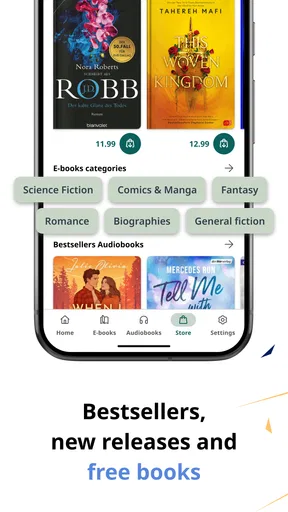
I think PocketBook is strongest for readers who value format range and want one app to handle a varied library. It is also a sensible choice for people who use reading as both leisure and reference: a novel one day, a comic or work document another. The app is free to start, has an Everyone age rating, and includes optional in-app purchases whose listed amounts range from about fifty cents to about three hundred fifty-five dollars per item. I would check what a purchase is for before committing rather than assume every reader needs to spend money.
If your priority is a tightly integrated shop, highly curated recommendations, or the least possible library management, a retailer’s own reader may feel more straightforward. Likewise, someone who only reads one format and already has a favorite app may not gain enough from switching. PocketBook’s main advantage is breadth, and breadth matters less if you never use it.
The app has been available since May 2013, and its current release is 5.63.2.36061.release for devices running Android 8.0 or later. Its 4.2 average from around 101,000 ratings, alongside roughly 2,700 written reviews and more than 10 million installs, suggests a widely used reader, but those figures do not tell me whether its workflow suits a particular person. I’d make that decision by trying the file types and organization habits I actually rely on.
Getting Started with Your Personal Library
First off, let's talk about how easy it is to get started with PocketBook Reader. The app is available on both Android and iOS, which means pretty much anyone with a smartphone can jump right in. Once you've downloaded it, you're greeted with a clean and intuitive interface. It’s like the app is saying, “Hey, let’s read some books!”
The setup process is straightforward. You can import books from your device, cloud storage, or even download them directly within the app. One of my favorite parts? The app supports a plethora of formats – EPUB, MOBI, PDF, and more. That means no more hunting for the right file type!
Features That Make Reading a Breeze
Let’s dive into the features because there are some real gems here. The reading interface is customizable, allowing you to change the font size, style, and even the background color. Are you someone who prefers reading at night? Switch to night mode and save your eyes from strain. It’s like they thought of everything!
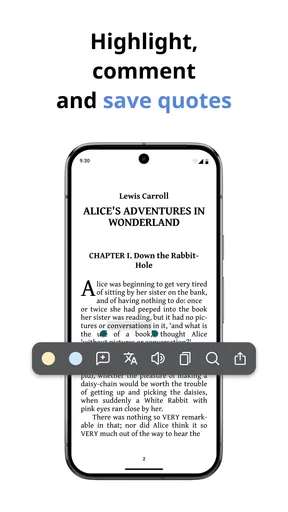
Another cool feature is the built-in dictionary. Stumble upon a word you don’t know? Just tap on it, and voila, instant definition. Plus, if you’re someone who likes to listen, the text-to-speech function is a lifesaver. It’s perfect for when you want to "read" on the go.
Organize Your Reading World
Organization is key for any book lover, and PocketBook Reader has got you covered. You can create collections, tag your books, and even mark your favorites. It’s like having a little librarian in your phone, keeping everything in order.
The app also tracks your reading progress, so you always know how far you've come and what's next on your list. It’s a neat little feature that fuels my motivation to tackle those longer reads.
A Social Twist to Reading
Now, this is where things get even more interesting. The app offers a social feature that allows you to connect with other readers. Share your thoughts, discuss your favorite parts, or discover new reads based on recommendations. It’s like having a book club without leaving your couch!
Plus, with the ability to sync across devices, you’ll never lose your place. Pick up where you left off, whether you’re on your phone, tablet, or e-reader.
Final Thoughts
All in all, PocketBook Reader is a fantastic app for anyone who enjoys reading on the go. With its vast array of features, user-friendly interface, and the ability to support multiple formats, it’s a must-have for book enthusiasts. Whether you’re a casual reader or a voracious consumer of novels, this app is like a personal library that fits right in your pocket.
So, go ahead and give it a try. Download the app, load up your favorite books, and get ready to immerse yourself in a world of stories. Happy reading!
Pros
- Supports multiple eBook formats.
- Customizable reading settings.
- Offers cloud sync and backup.
- Built-in dictionary and translator.
- Offline reading mode available.
Cons
- Limited audiobook support.
- In-app ads can be distracting.
- Some features require premium.
- Occasional sync issues reported.
- Interface can be overwhelming.
FAQs for PocketBook reader - EPUB, PDF
What formats does PocketBook Reader support?
PocketBook Reader supports a wide range of formats, including EPUB, PDF, MOBI, FB2, DJVU, TXT, HTML, RTF, and CBR/CBZ for comics. This versatility makes it an excellent choice for users who have a diverse collection of digital books and documents in various formats.
Is PocketBook Reader available on both Android and iOS?
Yes, PocketBook Reader is available for both Android and iOS devices. Users can download it from the Google Play Store for Android or the App Store for iOS, ensuring compatibility across different mobile platforms. This cross-platform availability makes it convenient for users who switch between devices.
Does PocketBook Reader offer cloud synchronization?
PocketBook Reader supports cloud synchronization, allowing users to sync their reading progress, bookmarks, and other settings across multiple devices. By using services like Dropbox or Google Drive, readers can seamlessly transition between their smartphone and tablet without losing their place in a book.
Can I customize the reading experience in PocketBook Reader?
Yes, PocketBook Reader offers extensive customization options for the reading experience. Users can adjust font size, type, background color, and margin settings to suit their preferences. Additionally, the app includes night mode and day mode to enhance readability under different lighting conditions.
Is there a cost associated with using PocketBook Reader?
PocketBook Reader is available as a free download, but it may offer in-app purchases for additional features or ad-free experiences. Users should check the app store for the latest pricing information and any available upgrades that might enhance their reading experience further.


